CLI · TUI · MCP
One tool, three surfaces: scriptable CLI, a keyboard-driven TUI, and an jirac-mcp server for AI agents.
jirac is an open-source Jira CLI with a full keyboard-driven TUI, JQL search, worklogs, fix-version management, and an MCP server for AI-assisted workflows — without living in the web UI.
Not affiliated with, endorsed by, or sponsored by Atlassian.
Browse, update, and automate Jira from your shell. Full TUI, JQL search, worklogs, fix versions, bulk actions, and an MCP server for agents.
Not affiliated with, endorsed by, or sponsored by Atlassian.
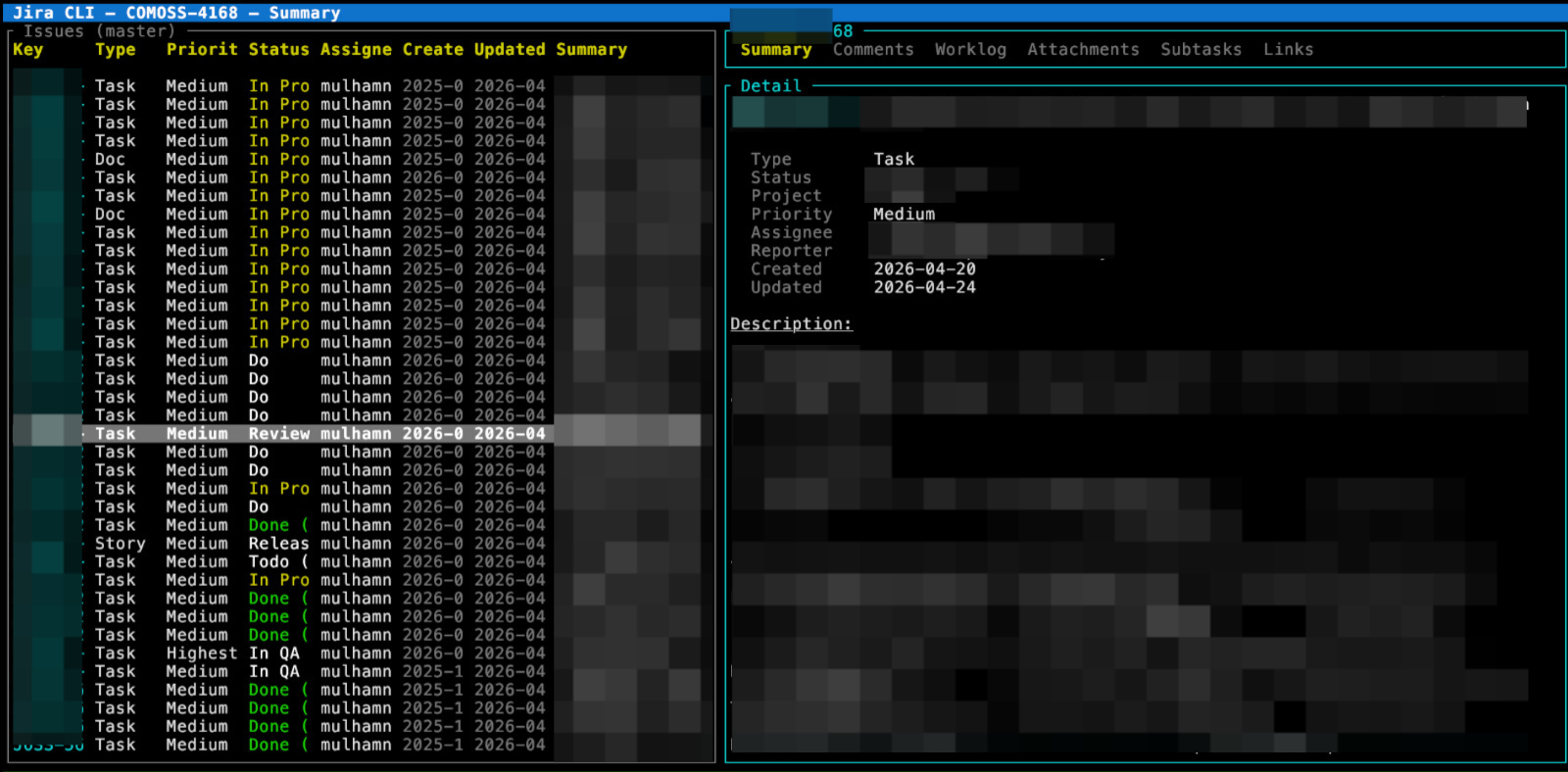
A daily-driver Jira CLI that lives where you already work — the terminal.
Choose your OS and package manager — we’ll show the single command you need. Everything installs both jirac and the jirac-mcp server.
$
Need the full matrix or the standalone MCP binary? See INSTALL.md. OpenClaw users can grab the published skill or plugin:
For non-technical users — once the binary is installed, copy each line in order. Works the same for Codex and Claude Desktop.
jiracScroll up, pick your OS, and copy the single install line. It bundles both jirac and jirac-mcp.
Open a fresh terminal and check that both binaries are on your PATH.
jirac --version
You'll be prompted for your Jira site URL, email, and an API token. Credentials stay in your OS keyring.
jirac auth login
Pick your AI app from the interactive picker — or pass --client <name> to skip the prompt.
jirac mcp install
Direct shortcut: --client claude-desktop, --client codex, --client claude-code. Other targets: cursor, gemini-cli, opencode, antigravity, antigravity-cli, generic-json.
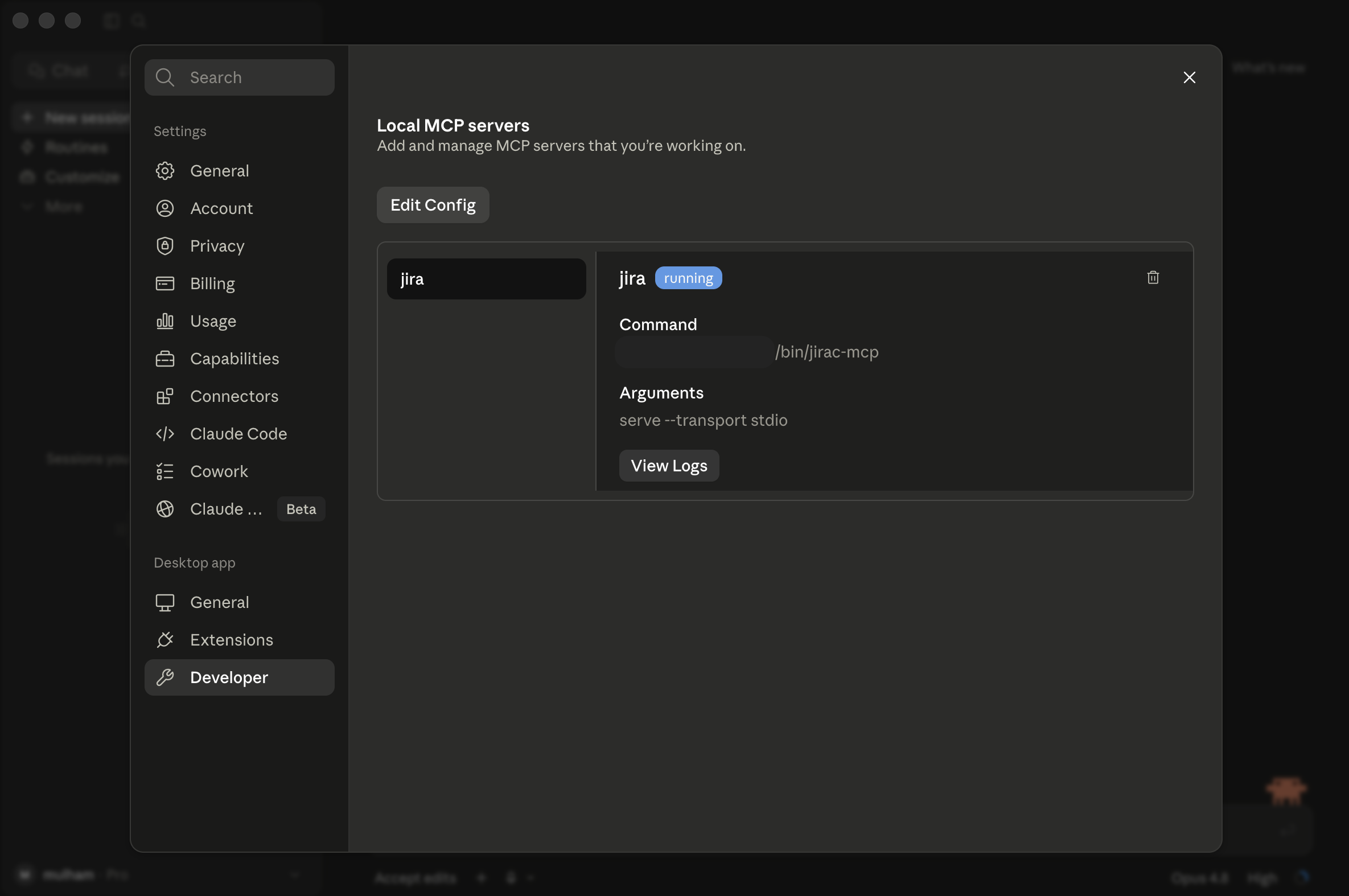
Fully quit Claude Desktop or Codex (Cmd+Q on macOS — closing the window isn't enough) and reopen it. The jira tools should appear in the tool list.
jirac mcp doctor
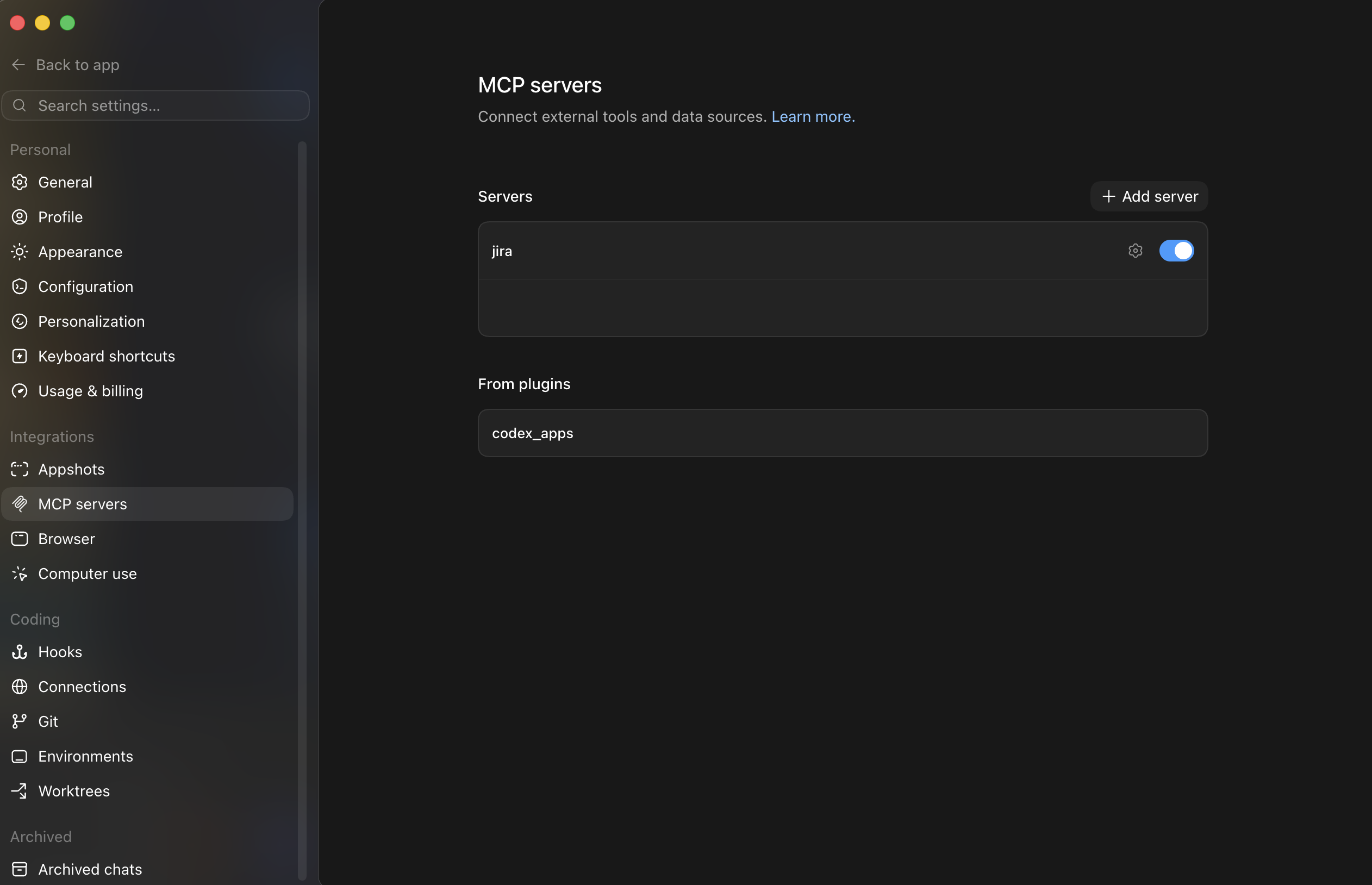
After step 5, your AI app shows the jira MCP server enabled and running. Here's what it looks like in Claude Desktop and Codex.
Stuck? jirac mcp doctor diagnoses missing binaries, broken config, and auth issues. Full reference in the MCP docs.
A daily-driver toolkit for the people who live in a terminal — and the agents that work alongside them.
One tool, three surfaces: scriptable CLI, a keyboard-driven TUI, and an jirac-mcp server for AI agents.
Interactive query builder by project, status, and assignee — plus saved JQL flows you can re-run instantly.
Daily standups, sprint summaries, worklog backfills across date ranges, and mention notifications — straight to the terminal.
Change issue type, move across projects with native semantics, and bulk-comment, -transition, -update, or -create.
Runtime field introspection per project — no manual YAML mapping to maintain. Built on the latest Jira API v3.
A single Rust binary for macOS, Linux, and Windows. Quick to install, quicker to run.
Filter by category or type what you’re trying to do — then copy the command. jirac --help always has the full story.
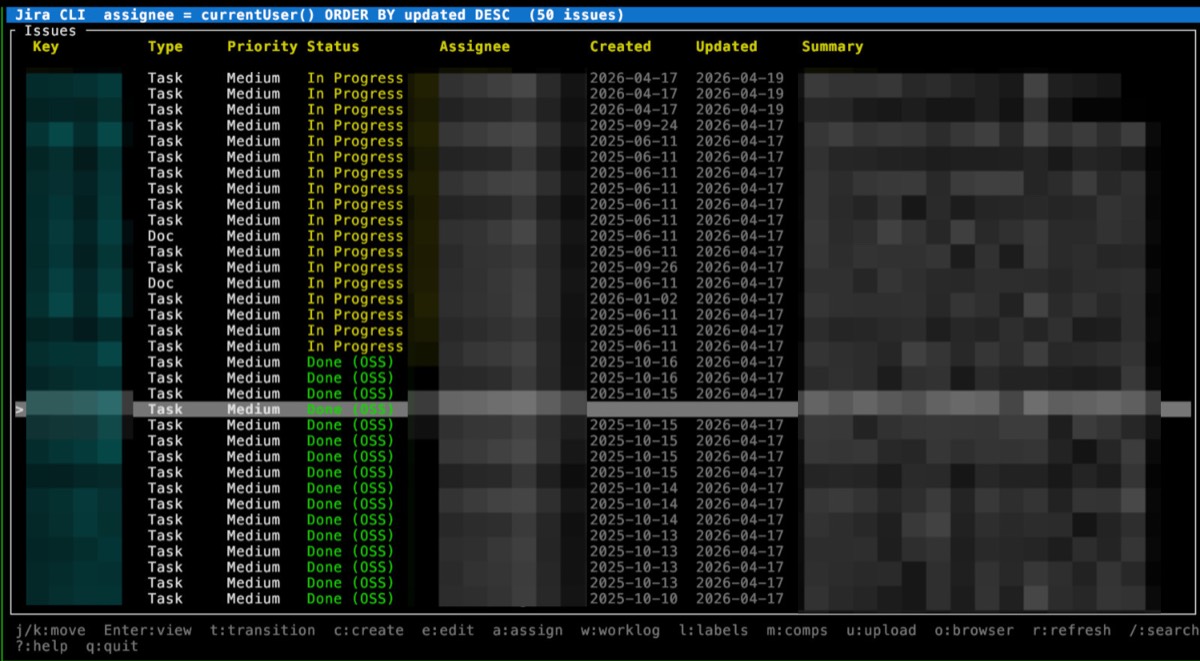
Launch with jirac tui for keyboard- and mouse-driven issue management — browse, edit, transition, log work, and more without leaving the terminal. Ships with multiple themes, including GitHub Light and Kanagawa Wave.

Expose Jira tools to any MCP client with jirac-mcp. jirac can even register it into your client config for you.
cargo install jira-mcp
jirac-mcp serve --transport stdiojirac mcp install
# interactive picker, or pass --client{
"mcpServers": {
"jira": {
"command": "jirac-mcp",
"args": ["serve", "--transport", "stdio"]
}
}
}Flags: --print shows the snippet, --dry-run previews without writing, --force overwrites an existing entry. Install helpers use your active Jira profile by default.
From your Atlassian account security settings, under “API tokens”. Run jirac auth login and paste your Jira URL, email, and token — it’s stored in ~/.config/jira/config.toml with 600 permissions.
No. jirac complements the web UI for terminal-first and automation workflows — browsing, JQL, worklogs, transitions, versions, and MCP/agent access.
Yes. Custom fields are discovered dynamically per project at runtime, so there’s no manual field mapping to maintain.
Absolutely — it’s built to be a daily driver covering issue browsing, JQL search, worklogs, transitions, fix versions, project versions, bulk actions, and MCP workflows.
Hold Shift (iTerm2 / most Linux terminals) or Option (Terminal.app) while selecting. Under tmux, set set -g mouse on so events reach the TUI.
Install jirac and run your backlog from the terminal in under a minute.